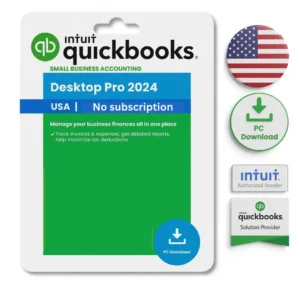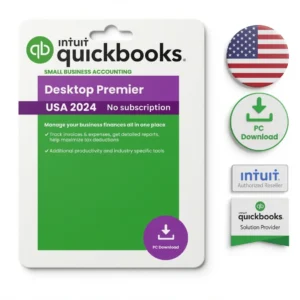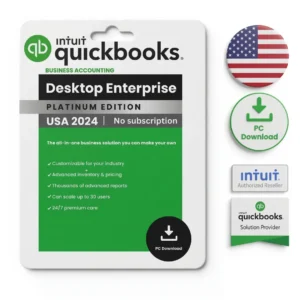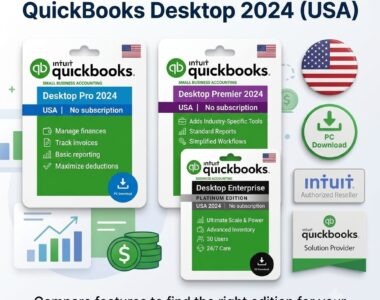
You have your licence key and you want the software running. This guide covers how to install QuickBooks Desktop 2024 from download to first company file, plus what to do when activation refuses to cooperate — which is the part most guides skip.
The process is identical for Pro, Premier and Enterprise. Budget about 30 minutes, most of which is the installer working while you wait.
Key Takeaways
- You need 64-bit Windows 10 or 11 — there is no Mac or ARM build.
- Install takes 20–40 minutes; activation itself takes under a minute.
- Steps are identical across Pro, Premier and Enterprise 2024.
- Company files from 2021–2023 upgrade automatically on first open.
- Back up your company file before upgrading — the change is one-way.
Before you start •
Installing step by step •
Activating your licence •
Opening or upgrading your company file •
Multi-user setup •
When something goes wrong •
If you don’t have a licence yet •
FAQ
Before You Start
Two things stop installs before they begin: the wrong operating system, and a licence email that has not arrived. Check both now rather than halfway through.
| Requirement | Minimum | Recommended |
|---|---|---|
| Operating system | 64-bit Windows 10 | 64-bit Windows 11 |
| Processor | 2.4 GHz | 2.4 GHz or faster |
| RAM | 8 GB | 16 GB |
| Disk space | 2.5 GB plus company file | 5 GB free headroom |
| Screen | 1280×1024 | 1920×1080 |
| Internet | Needed for activation only | Broadband for updates |
There is no Mac version of QuickBooks Desktop 2024. Mac users run it inside a Windows environment — see our QuickBooks Desktop for Mac guide for the options.
You also need two numbers from your delivery email: the licence number and the product number. They are different, and the installer asks for both. Have that email open before you begin.
Installing QuickBooks Desktop 2024, Step by Step
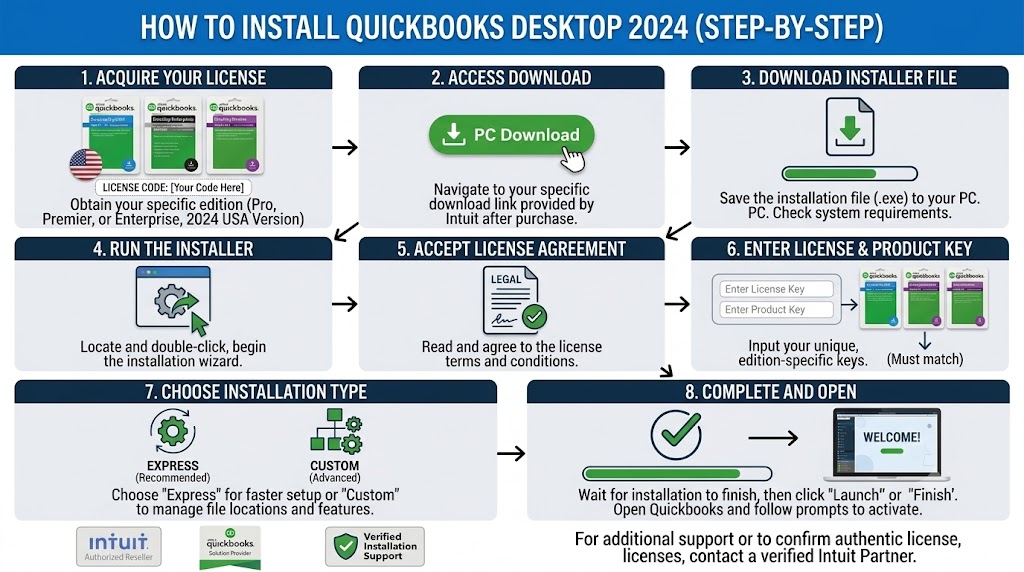
1 Close everything else
Shut down open programs, particularly anything using your company file. Installers that have to fight for file access are the ones that fail partway.
2 Download the official installer
Use the Intuit download link supplied in your delivery email. Download from Intuit’s own servers — never from a file-sharing site or a link that arrives from anywhere else.
3 Run it as administrator
Right-click the downloaded file and choose “Run as administrator.” Skipping this is the single most common cause of a half-finished install on a work machine with restricted permissions.
4 Enter your licence and product numbers
Type them exactly as they appear in your email. Copy and paste if you can — the characters are case-sensitive and a mistyped digit produces a validation error that looks like a bad key.
5 Choose Express install
Express is correct for a single computer. Choose Custom and Network only if this machine will host the company file for other users — see the multi-user section below.
6 Let it finish, then restart
Installation takes 10–30 minutes. Restart Windows afterwards even if not prompted; it clears file locks that otherwise surface as errors on first launch.
Activating Your Licence
Activation happens on first launch and takes seconds. QuickBooks contacts Intuit’s servers, validates the licence, and ties it to that installation.
- Open QuickBooks. If prompted, choose Activate QuickBooks Desktop.
- Confirm the licence details on screen and follow the prompts.
- If you are not prompted, go to Help → Activate QuickBooks Desktop.
- To confirm status later, press F2 — the Product Information window shows whether the licence is activated.
Opening or Upgrading Your Company File
If you are migrating from an older version, what happens next depends on how old that version is.
| Your current file | What happens | Action needed |
|---|---|---|
| QuickBooks 2021–2023 | Upgrades automatically on first open | Back up first, then open |
| QuickBooks 2019–2020 | May need an intermediate step | Contact support before attempting |
| Pre-2019 | Usually cannot upgrade directly | $49 remote migration service |
| QuickBooks Online | Export and rebuild required | $49 remote migration service |
Back up before you upgrade. The file conversion is one-way: once a company file is opened in 2024, older versions can no longer read it. Go to File → Back Up Company → Create Local Backup and store the copy somewhere other than the computer you are working on.
Multi-User Setup
Skip this if one person uses QuickBooks. If several people need simultaneous access, one machine hosts the company file and the others connect to it.
- Install QuickBooks on the host machine using Custom and Network Options.
- Install the Database Server Manager on the host, then scan the folder holding your company file.
- Install QuickBooks normally on each other machine, using the same licence at the user count you purchased.
- Switch to multi-user mode from File → Switch to Multi-user Mode.
Your user limit is set by the licence tier you bought: Pro supports 3 simultaneous users, Premier 5, and Enterprise up to 30 — rising to 40 on the Diamond tier. The full edition comparison sets out the limits side by side.
When Something Goes Wrong
Most failed installs come down to five causes. Work through these before assuming the key is faulty.
| Symptom | Likely cause | Fix |
|---|---|---|
| “Validation code is incorrect” | Mistyped licence or product number | Re-enter carefully; copy and paste from the email |
| Installer stops partway | Not run as administrator | Right-click the file, Run as administrator |
| Installer blocked or quarantined | Antivirus intercepting the setup | Pause real-time protection during install, re-enable after |
| Error 3371 / licence data missing | Damaged entitlement data | Delete the EntitlementDataStore file in the Intuit Entitlement Client folder under C:\ProgramData, then relaunch and re-enter your licence |
| Activation cannot reach servers | Firewall or offline machine | Confirm internet access; allow QuickBooks through the firewall |
Intuit’s free QuickBooks Tool Hub bundles repair utilities for installation and company-file problems and resolves most of the rest. If a key genuinely will not activate after these steps, contact us and we replace it — the terms are in our 30-day refund and returns policy.
If You Don’t Have a Licence Yet
You need a genuine licence and product number before any of the above applies. LicenseRetail sells QuickBooks Desktop 2024 as a one-time perpetual purchase — no subscription, no renewal date.
| Edition | Simultaneous users | One-time price from |
|---|---|---|
| Pro 2024 | Up to 3 | $199 |
| Premier 2024 | Up to 5 | $249 |
| Enterprise 24.0 | Up to 30 (40 on Diamond) | $349 |
Your licence key, product code, official Intuit download link and activation guide arrive by email within minutes of checkout. Not sure which edition fits? Read which edition fits your business or the full no-subscription buying guide.
LicenseRetail is a trading name of Keyzai LLC, registered in Colorado under Secretary of State ID 20241650116, at 1942 Broadway St., STE 314C, Boulder, CO 80302. Check that ID in the Colorado Secretary of State business database before you buy from us.
Support: [email protected] or WhatsApp +1 662 812 4750, Monday to Friday, 9:00–17:00 US Mountain Time. See how our licensing model works and what buyers report after purchase. We claim no partnership or authorised-reseller status with Intuit.
Genuine Licence, Official Installer, Delivered in Minutes
Pro, Premier and Enterprise 2024. One payment, no subscription.
Frequently Asked Questions
How long does installing QuickBooks Desktop take?
Roughly 20 to 40 minutes end to end. The download depends on your connection, installation runs 10 to 30 minutes, and activation itself takes under a minute.
Where do I find my licence and product numbers?
Both are in the email sent after purchase. They are two different numbers and the installer asks for both. If it has not arrived within ten minutes, check your spam folder.
Is the process different for Pro, Premier and Enterprise?
No. Installation and activation are identical across all three 2024 editions. Only the user limits and feature set differ.
What if activation fails?
Re-check both numbers for typos, run the installer as administrator, and confirm the machine has internet access. If it still fails, contact support and we replace the key.
Can I reinstall on the same computer later?
Yes. Keep your delivery email and reuse the same licence and product numbers. Reinstalling on the same machine does not consume an extra seat.
Will my old company file still open in the previous version?
No. Upgrading a company file to 2024 is one-way, so older versions can no longer read it. Always create a backup before you upgrade.
Do I need to be online to use QuickBooks Desktop?
Only for activation and updates. Core accounting runs entirely offline once activated.
Can I install QuickBooks Desktop on a Mac?
Not directly. There is no Mac build of the 2024 release. Mac users run it through Parallels, VMware, Boot Camp on Intel machines, or a hosted Windows desktop.
Final Thoughts
The install itself is not complicated: download, run as administrator, enter two numbers, activate. Nearly every problem people hit traces back to one of three things — not running as administrator, mistyping the licence numbers, or antivirus interfering. Check those before assuming anything is wrong with the key.
Stuck at any step? Reach our support team during Mountain Time business hours and we will walk through it with you.