
Alternatives to QuickBooks Desktop: An Honest Comparison From Someone Who’s Lived It
Searching for alternatives to QuickBooks Desktop? You’ve probably already found the usual listicles ranking Xero, QuickBooks Online, Sage, and NetSuite by feature checklists. This article on alternatives to QuickBooks Desktop is different: it’s written by a business owner who has spent years helping small businesses evaluate, migrate to, and set up QuickBooks Desktop and its alternatives — and who has watched, firsthand, what actually happens after businesses switch.
Quick answer: The most commonly considered alternatives to QuickBooks Desktop are QuickBooks Online, Xero, and Sage (with NetSuite and Zoho Books as options for larger or more complex businesses). Each is a legitimate accounting platform — but for many small businesses that have run QuickBooks Desktop for years, switching to one of these alternatives often costs more in migration, retraining, and lost familiarity than it saves. Below, I’ll walk through each alternative to QuickBooks Desktop honestly, then share what I’ve actually seen happen when clients make the jump.
The Main Alternatives to QuickBooks Desktop
QuickBooks Online (QBO)
Intuit’s own cloud platform, and the most natural landing spot for QuickBooks Desktop users considering alternatives to QuickBooks Desktop. Pros: same brand, cloud access, regular feature updates. Cons: the interface and reporting logic differ enough from Desktop that long-time users often feel like they’re relearning their books from scratch, and complex job-costing or industry-specific reports from Desktop don’t always translate cleanly. For a full side-by-side, see our detailed breakdown of QuickBooks Desktop vs QuickBooks Online.
Xero
A popular cloud-based alternative with a clean interface and strong third-party app ecosystem. Pros: modern UI, good for businesses that are cloud-first from day one. Cons: in my experience, small businesses with existing QuickBooks Desktop company files (especially ones with years of historical data, custom reports, or inventory/job-costing setups) find the conversion process to Xero difficult and often need paid third-party conversion help.
Sage
Sage 50 and Sage Intacct are common QuickBooks Desktop alternatives, especially for businesses wanting stronger accounting-specific controls. Pros: robust accounting features, well-suited to some industries. Cons: same migration friction as Xero — moving a mature company file over is rarely simple, and Sage’s learning curve can be steep for staff used to QuickBooks’ workflow.
NetSuite / Zoho Books
Better suited to businesses that have genuinely outgrown small-business accounting software — more complex multi-entity, multi-currency, or ERP-level needs. Overkill (and costly) for most small businesses just looking to replace QuickBooks Desktop.
Why People Start Looking for Alternatives to QuickBooks Desktop
The timing of this question isn’t random. Two things are pushing small business owners to search for alternatives to QuickBooks Desktop right now:
- Rising subscription costs. QuickBooks Desktop pricing has shifted heavily toward annual subscriptions (Pro Plus, Premier Plus, Enterprise), and the year-over-year increases have caught a lot of long-time users off guard. If you want the full current breakdown, we cover it in how much QuickBooks Desktop costs in 2026.
- The assumption that “cloud” automatically means “better.” Xero and QuickBooks Online market themselves as the modern, flexible choice — and for some businesses, they genuinely are.
- Confusion around discontinuation news. A lot of the alternatives-to-QuickBooks-Desktop searches are driven by headlines about Intuit sunsetting older versions. We break down what’s actually changing (and what isn’t) in is QuickBooks Desktop being discontinued: the truth in 2026. For the official version, Intuit’s own discontinuation policy page lays out the exact support timelines by version.
So business owners go looking for alternatives to QuickBooks Desktop. And that’s where my experience gets interesting.
What Actually Happens When Small Businesses Switch to Xero or Sage
I’ve worked with many small business clients who made the jump — full migration, new workflows, the whole thing. Here’s the pattern I’ve seen repeatedly:
- They come back. Not all of them, but a significant number return to QuickBooks Desktop within a year or two.
- The reason isn’t features — it’s cost and familiarity. When I’m able to offer them QuickBooks Desktop (Pro Plus, Premier Plus, or Enterprise) at a price below typical market rates, the math stops favoring the alternative.
- Twenty years of muscle memory is worth something. Many of my clients have been running their business on QuickBooks Desktop for 20+ years. Their bookkeepers know it, their accountants know it, their year-end processes are built around it. Relearning a new system has a real cost that doesn’t show up on a feature comparison chart.
If you’re weighing whether QuickBooks Desktop still fits a growing business, our comparison of QuickBooks Enterprise vs Pro vs Premier covers which tier scales best before you consider leaving the platform entirely.
The Migration Problem Nobody Puts in the Marketing Materials
If you do decide to move to Xero, Sage, or another alternative to QuickBooks Desktop, converting your existing QuickBooks Desktop company file is one of the most underestimated parts of the process. In my experience:
- Company file conversion is genuinely difficult to do well — the standard tools don’t handle everything cleanly (historical transactions, custom reports, job costing structures, memorized transactions).
- Because of this, many businesses end up paying third-party conversion specialists, often at a high price, just to get their data into the new system in usable shape. (We offer a white-glove data migration service for exactly this reason — it’s usually far cheaper than what generic conversion agencies quote.)
- That conversion cost is rarely mentioned upfront when a business starts evaluating alternatives to QuickBooks Desktop — it tends to show up as a surprise partway through the switch.
The QuickBooks Desktop Feature That’s Genuinely Hard to Replace
Beyond cost, there’s a practical reason so many long-time QBD users struggle to leave: the depth of familiarity and workflow built up over years of use. For a business that has run QuickBooks Desktop for two decades, it’s not one feature — it’s the accumulated institutional knowledge (custom reports, established processes, staff training) built around the platform. That’s genuinely hard for any alternative to QuickBooks Desktop to replicate, no matter how good its feature set looks on paper.
Frequently Asked Questions
What is an alternative to QuickBooks Desktop?
The main alternatives to QuickBooks Desktop are QuickBooks Online, Xero, and Sage, with NetSuite or Zoho Books for larger businesses. Each works well for certain business types, but none is a drop-in replacement — all require some migration and retraining.
Is QuickBooks Online a good alternative to QuickBooks Desktop?
It’s the easiest transition since it’s built by the same company, but the interface, reporting, and some feature sets differ enough that users often need an adjustment period. See our full QuickBooks Desktop vs Online comparison for specifics.
Why do businesses switch back to QuickBooks Desktop after trying an alternative?
In my experience, it usually comes down to cost and familiarity — once staff have to relearn workflows and pay for data conversion, the “cheaper” alternative often stops looking cheaper, especially if a better QuickBooks Desktop price is available.
Is it hard to convert a QuickBooks Desktop company file to Xero or Sage?
Yes, in most cases. Standard conversion tools rarely handle historical transactions, custom reports, and job-costing data cleanly, which is why many businesses end up hiring a paid third-party conversion service.
Can I still buy QuickBooks Desktop instead of switching to an alternative?
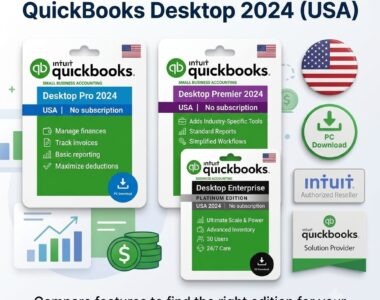
Yes. Despite the discontinuation headlines, QuickBooks Desktop is still available to purchase. We cover exactly what’s still available in can I buy QuickBooks Desktop without a subscription. If you already know which edition you need, the one-time-payment versions are QuickBooks Desktop Pro 2024 without a subscription for straightforward bookkeeping, QuickBooks Desktop Premier 2024 without a subscription for industry-specific reporting, and QuickBooks Desktop Enterprise 2024 without a subscription for larger file sizes and user counts. Canadian filers needing GST/HST and T4/T5 should use the Canadian edition of QuickBooks Desktop Premier 2024.
My Honest Take
I’m not a neutral party here — I sell QuickBooks Desktop licenses — including the no-subscription editions alongside Pro Plus, Premier Plus, and Enterprise — at LicenseRetail.com, at prices below typical retail. So take this for what it is: an informed opinion from someone who works in this space daily, not a detached comparison.
But here’s what I’ve actually seen: if the main reason you’re considering an alternative to QuickBooks Desktop is subscription cost, it’s worth checking QuickBooks Desktop pricing options again before committing to a full migration. For a lot of small businesses, the alternative to QuickBooks Desktop that ends up making the most sense isn’t a new platform — it’s QuickBooks Desktop at a fairer price, without the data conversion project and retraining period.
Currently paying full price for your QuickBooks Desktop subscription? I offer Pro Plus, Premier Plus, and Enterprise licenses at competitive pricing. Feel free to reach out before you start a migration project you may not need.