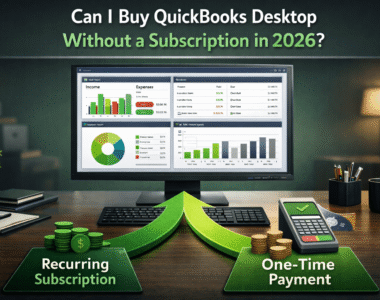
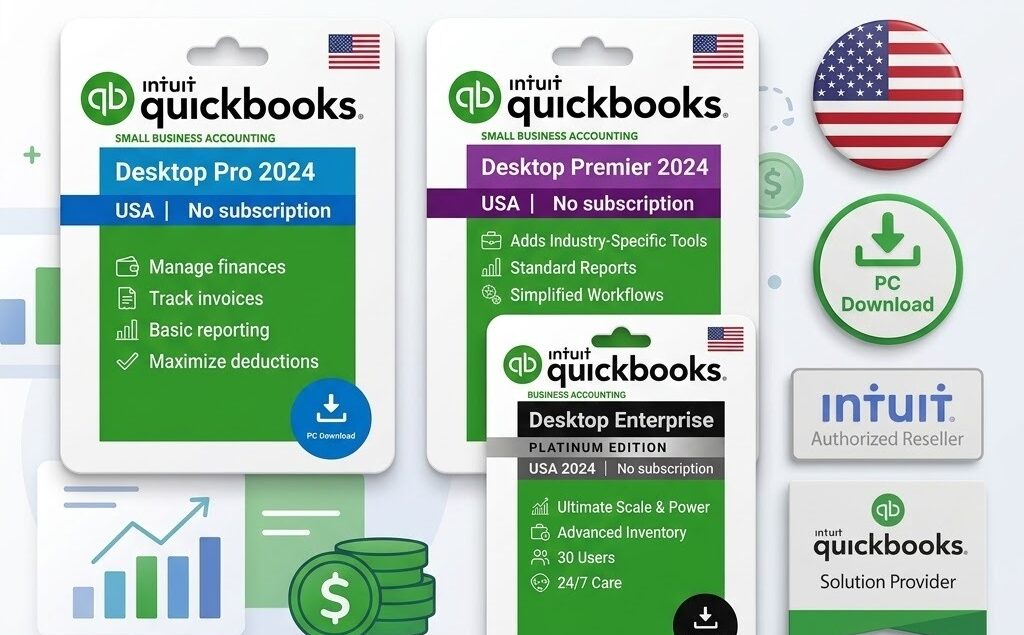
Intuit has spent the last two years steering everyone toward QuickBooks Online and its monthly bill. Plenty of business owners, bookkeepers and accountants do not want that. They want to buy QuickBooks Desktop without a subscription — installed on their own machine, data on their own drive, paid for once.
You can still do exactly that in 2026 — just not from Intuit. This guide covers what a no-subscription licence costs, which edition fits your team, what happens when Intuit ends support in 2027, and how to tell a legitimate seller from a fake one.
Key Takeaways
- QuickBooks Desktop 2024 is still sold as a one-time perpetual licence — no subscription required.
- One-time prices start at $199 for Pro, $249 for Premier, $349 for Enterprise.
- Choose Pro under 3 users, Premier for industry reports, Enterprise above 5 users.
- Intuit ends connected services — payroll, bank feeds — for the 2024 version in 2027.
- Avoid sellers with no company registration, no published address and no refund policy.
Can you still buy it in 2026? •
Why choose a perpetual licence •
The real cost vs a subscription •
Which version to buy •
2026 pricing •
How to buy & activate •
Avoiding fake keys •
FAQ
Can You Still Buy QuickBooks Desktop Without a Subscription in 2026?
Yes, but not from Intuit directly. Intuit stopped selling new Pro Plus, Premier Plus and Mac Plus subscriptions to new customers in 2024 and never released a 2025 or 2026 version. QuickBooks Desktop 2024 is the final non-Enterprise release.
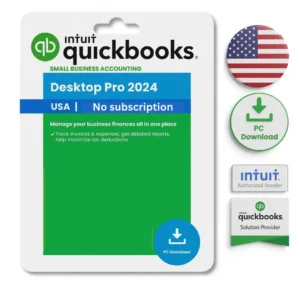
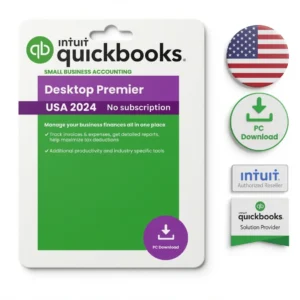
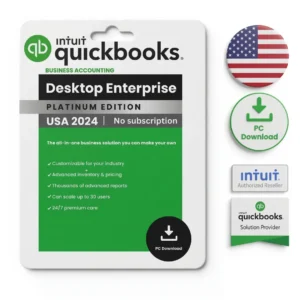
What remains available is the perpetual licence: one payment, a permanent key, no renewal date. LicenseRetail sells three of them — the QuickBooks Desktop Pro 2024 – No Subscription License at $199, the QuickBooks Desktop Premier 2024 – No Subscription License at $249, and the QuickBooks Desktop Enterprise 2024 – No Subscription License at $349.
Why Choose a Perpetual Licence Over the Subscription
The short version: you stop paying. Everything else is secondary, though the secondary reasons matter to some businesses more than the money does.
- One payment, no renewal. $199 once instead of $449 every year for the equivalent Pro tier.
- Your data stays on your machine. Nothing lives on Intuit’s servers, which some accountants and regulated firms require.
- It runs offline. Core accounting needs no internet connection at all.
- Faster with large company files. No browser lag on heavy inventory or job-costing data.
- Nothing changes underneath you. No surprise interface updates halfway through a reporting period.
Where the subscription genuinely wins: Enterprise subscribers keep receiving new versions, and Intuit has published no end-of-life date for Enterprise. If you need payroll running past 2027, a subscription or a different product is the right call. We cover the substitutes in our guide to desktop accounting alternatives to QuickBooks, and the cloud trade-off in QuickBooks Desktop vs Online.
Subscription vs One-Time Licence: The Real Cost
A monthly fee looks small until you total three years of it. These are our own current listed prices on both sides of the comparison, at the single-user tier.
| Edition | One-time licence | Annual subscription | 3-year subscription cost | You keep |
|---|---|---|---|---|
| Pro 2024 | $199 | $449/year | $1,347 | $1,148 |
| Premier 2024 | $249 | $549/year | $1,647 | $1,398 |
| Enterprise 24.0 (Silver) | $349 | $1,311/year | $3,933 | $3,584 |
Subscription figures come from our listings for QuickBooks Desktop Pro Plus 2024 on a one-year term and the Enterprise annual tiers. Enterprise pricing climbs steeply above Silver — Gold is $1,547, Platinum $1,901 and Diamond $3,003 per year. For the full tier-by-tier breakdown see what QuickBooks Enterprise actually costs and our Silver vs Gold vs Platinum comparison.
Which QuickBooks Desktop Version Should You Buy?
Count the people who will use QuickBooks at the same moment. Not total staff — simultaneous users. That one number settles most of the decision.
| Edition | Best for | Max users | List item limit | From |
|---|---|---|---|---|
| Pro 2024 | Freelancers and 1–3 person businesses | 3 | 14,500 | $199 |
| Premier 2024 | Contractor, retail, nonprofit, manufacturing | 5 | 14,500 | $249 |
| Enterprise 24.0 | Larger teams and multi-location inventory | Up to 30 (40 on Diamond) | 1,000,000+ | $349 |
Premier’s differentiator is its six industry editions — General Business, Contractor, Manufacturing & Wholesale, Nonprofit, Professional Services and Retail — plus a forecasting centre Pro does not include. Enterprise adds FIFO costing, serial and lot tracking, barcode scanning, per-report user permissions and multi-company consolidated reporting. If your combined customers, vendors and inventory items are anywhere near 14,500, you need the Enterprise edition range rather than Premier.
All three editions need 64-bit Windows 10 or 11, a 2.4 GHz processor, 8 GB RAM (16 GB recommended) and 2.5 GB of disk space plus room for your company file. There is no Mac build and no ARM support — Mac users run it through virtualization, covered in our QuickBooks Desktop for Mac guide.
QuickBooks Desktop Pricing in 2026
Price scales with the number of simultaneous users on the licence. Ratings are from verified purchases on our own product pages.
| Product | Users available | 1 user | Top tier | Rating |
|---|---|---|---|---|
| QuickBooks Desktop Pro 2024 | 1–3 | $199 | $399 | 4.77 / 5 (13) |
| QuickBooks Desktop Premier 2024 | 1–5 | $249 | $649 | 4.79 / 5 (19) |
| QuickBooks Desktop Enterprise 24.0 | 1–5 | $349 | $749 | 4.78 / 5 (9) |
Physical media
If you need an installer disc rather than a download, the Pro 2024 CD/DVD edition is $349 and the Enterprise 2024 lifetime licence on disc is $449. Both carry identical perpetual terms to the download versions.
Currency and regional editions
The prices above are US dollars for the US edition, which uses US tax forms and 1099-NEC preparation. Our storefront also displays euro pricing through the currency selector. Browse the full no-subscription QuickBooks Desktop range or the wider QuickBooks Desktop catalogue to compare.
How to Buy and Activate Your Licence
Start to finish, this takes about half an hour, most of it waiting for the installer. Our step-by-step installation and activation walkthrough covers each screen in detail.
- 1. Count your simultaneous users. This sets your tier and your price.
- 2. Select edition and user count on the product page — the price updates as you change the dropdown — then check out over 256-bit SSL.
- 3. Check your email. Your licence key, product code, official Intuit download link and activation guide arrive within minutes. Check spam if nothing lands within ten.
- 4. Install the 64-bit installer on Windows 10 or 11.
- 5. Enter your licence and product number, then activate. Activation registers directly with Intuit’s servers.
- 6. Open your existing company file. Files from 2021–2023 upgrade directly. Older than 2021 may need our $49 remote migration service.
How to Avoid Fake Keys and Illegitimate Sellers
Search for cheap QuickBooks keys and you will find cracked downloads and prices that undercut every legitimate seller by 80%. Avoid both. Cracked accounting software can carry malware and stop working without warning, and QuickBooks is where your money lives.
Five checks filter out most bad sellers before you spend anything.
| Check | Warning sign | What LicenseRetail publishes |
|---|---|---|
| Company registration | No legal entity named anywhere | Keyzai LLC, Colorado ID 20241650116 |
| Physical address | Missing, or a bare PO box | 1942 Broadway St., STE 314C, Boulder, CO 80302 |
| Support hours | Contact form only, no hours | Mon–Fri, 9:00–17:00 US Mountain Time |
| Price | Far below every other seller | $199–$749 by edition and user count |
| Refund mechanism | No published policy | 30-day money-back guarantee |
Most sites that warn you about fake keys stay anonymous while doing it. We will not. LicenseRetail is a trading name of Keyzai LLC, a limited liability company registered in Colorado under Secretary of State ID 20241650116, at 1942 Broadway St., STE 314C, Boulder, CO 80302.
Enter that ID into the Colorado Secretary of State business database and you will see our formation date, registered agent and filing status. We would rather you checked than took our word for it.
Reach us at [email protected] or WhatsApp +1 662 812 4750, Monday to Friday, 9:00–17:00 US Mountain Time. Read how our licensing model works, who runs Keyzai LLC, and what buyers report after purchase. We claim no partnership or authorised-reseller status with Intuit — and any seller who claims one should be asked to produce the certificate.
Own QuickBooks Desktop — No Subscription
Genuine Pro, Premier and Enterprise licences. Instant email delivery. Pay once.
Frequently Asked Questions
Is this a subscription in disguise?
No. It is a single payment with no renewal date and no recurring charge. Future major versions would require a separate purchase, but nothing expires on the licence you buy.
Does it include payroll?
No. Payroll is a separate Intuit add-on and is not bundled with any of these three licences. See our QuickBooks Desktop Payroll guide for what still works in 2026.
What actually happens in 2027?
Connected services end for QuickBooks Desktop 2024 — payroll, bank feeds, payments and security patches. The software still opens and your company file still works for invoicing, reporting and reconciliation indefinitely.
How many users does each edition support?
Pro handles 3 simultaneous users, Premier 5, and Enterprise up to 30 — rising to 40 on the Diamond tier. Our Enterprise listing sells 1–5 user configurations; contact us for larger deployments.
Can I upgrade from an older QuickBooks version?
Yes. Company files from 2021, 2022 and 2023 upgrade directly when opened in the 2024 version. Files older than 2021 may need our $49 remote migration service.
Why might my licence show another company name?
Some perpetual licences originate from corporate volume purchases, so the original registrant’s name can appear in the registration field. This does not affect activation or your right to use the software. See our licensing explainer for the detail.
Does it work offline?
Yes. Core accounting runs entirely offline. An internet connection is only needed for optional bank feeds and software updates.
Which edition should a 4-person firm buy?
Premier at $249, since Pro caps at 3 simultaneous users. A fourth person working in QuickBooks at the same time would be locked out on Pro.
Final Thoughts
You do not have to accept a subscription because Intuit prefers one. QuickBooks Desktop 2024 is still genuine, still available and still a single payment — you just have to know where to look and who you are buying from. Pick the edition that matches your simultaneous user count, buy from a seller who publishes their company registration, and plan for the 2027 service cutoff if payroll matters to you.
Questions before you order go to our contact page, or reach us on WhatsApp during Mountain Time business hours.